A computer is something we use every day — for studies, WhatsApp, YouTube, online classes, shopping, or work. But do you really know what a computer is? Let's understand it in the easiest way possible.
What is a Computer? (Simple Definition)
A computer is an electronic device that can:
- Accept input (data from you, like typing or clicking)
- Process that data very fast using instructions (programs/software)
- Store the data
- Give output (result, like showing a video, document, or game)
In short: Computer = Fast calculating machine that follows your commands (programs) to do tasks automatically.
It was invented to solve big calculations quickly, but today it does everything — from watching reels to online banking.

(Image: Simple diagram of Input → Process → Output cycle in a computer system. Direct URL for Blogger: https://i.pinimg.com/736x/52/08/e6/5208e624733e21d17bff4fd7674d6db3.jpg)
Basic Parts of a Computer (Hardware)
Every computer has these main parts:
- Input Devices — You give commands: Keyboard, Mouse, Touchscreen, Microphone, Webcam.
- Central Processing Unit (CPU) — The "brain" that does all calculations and processing.
- Memory / RAM — Temporary storage for running programs (like your working desk).
- Storage — Permanent place for files: Hard Disk (HDD) or Solid State Drive (SSD).
- Output Devices — Shows results: Monitor/Screen, Printer, Speakers.
- Motherboard — Connects everything together (main circuit board).
- Other — Power supply, cabinet, graphics card (for games/videos).
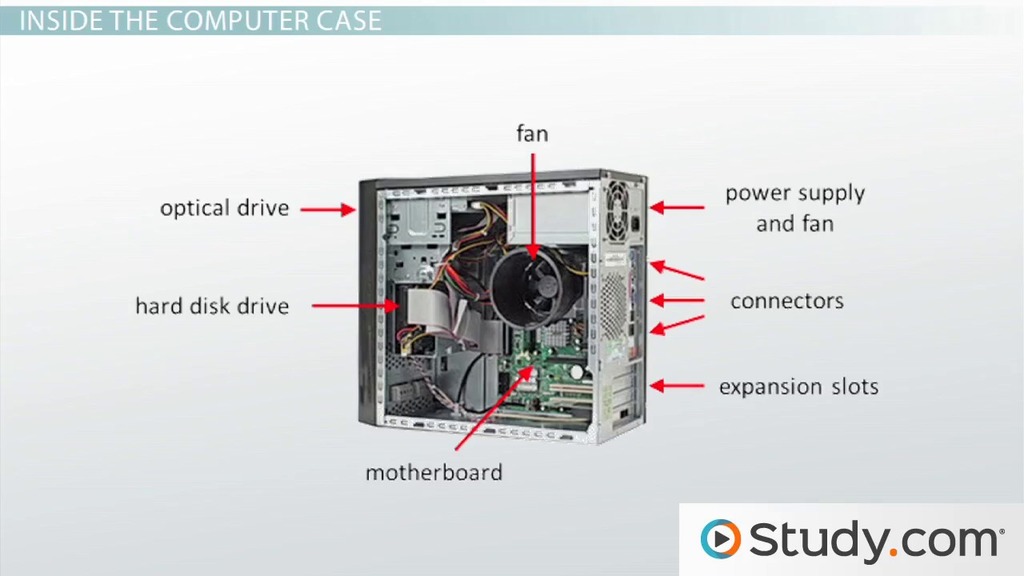
(Image: Labeled diagram of external computer hardware components like monitor, CPU case, keyboard. Direct URL: https://study.com/cimages/videopreview/what-is-a-computer-system-unit-function-components-definition_110959.jpg)

(Image: Detailed labels for internal parts like CPU, RAM, motherboard, graphics card, power supply. Direct URL: https://i.ytimg.com/vi/FQfcAm0FnWU/maxresdefault.jpg)
How Does a Computer Work? (Basic Flow)
- You give input (e.g., type "open YouTube").
- Input goes to CPU.
- CPU uses software/programs to process it (follows instructions).
- Result is sent as output (YouTube opens on screen).
- Data can be stored for later use.
This is called IPO Cycle — Input → Process → Output.
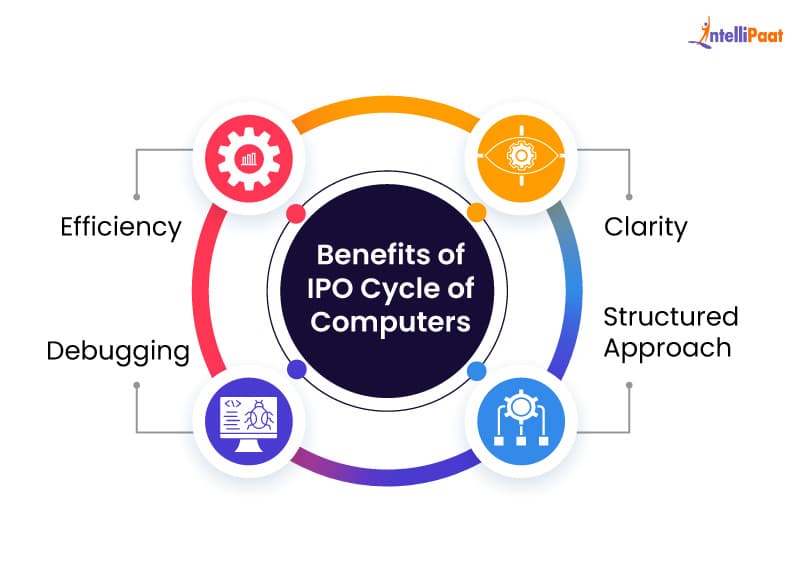
(Image: Block diagram illustrating the IPO cycle benefits and flow in computers. Direct URL: https://intellipaat.com/blog/wp-content/uploads/2024/06/Benefits-of-IPO-Cycle-of-Computers.jpg)
Types of Computers (Common Ones in 2026)
- Desktop Computer — Big screen + separate CPU box (good for home/office).
- Laptop — Portable, all-in-one (most popular for students).
- Tablet — Touchscreen like iPad or Samsung Tab (easy to carry).
- Smartphone — Small computer in your pocket (Android/iPhone).
- Server — Powerful computers that run websites/apps (like Google servers).
- Supercomputer — Very fast for science/weather predictions.
(Note: For types, use this suggested image search result or add your own — e.g., collage of devices. Direct URL example: https://example.com/types.jpg — replace as needed.)
Quick History (Generations of Computers)
Computers evolved in 5 generations:
- 1940s–1950s: Vacuum tubes (big & hot).
- 1950s–1960s: Transistors (smaller).
- 1960s–1970s: Integrated Circuits (ICs).
- 1970s–now: Microprocessors (personal computers like PC).
- 2020s+: AI, Quantum, very smart & fast.
Today we are in 4th/5th generation with AI helping computers think better.

(Image: Timeline infographic of computer generations from 1st to 6th with tech advancements. Direct URL: https://i.pinimg.com/736x/d6/78/a0/d678a013e638c9977aa4958ff7c8aba7.jpg)
Everyday Uses in India
- Students: Online classes, YouTube study videos.
- Shop owners in Patna: Billing software, WhatsApp business.
- Jobs: Typing, Excel, graphic design, coding.
- Fun: Games, reels, movies.
Conclusion
A computer is not magic — it's a smart electronic tool that follows instructions to make life easier and faster. Start with basics: learn keyboard, mouse, MS Word/Excel, then move to internet and apps.
Want more? Comment below — next post could be "What is Hardware vs Software?" "How to Use Computer for Beginners" or "What is Internet?"
(Keep comments enabled for engagement!)
Add labels: computer, what is computer, computer basics, computer parts, types of computers, beginner guide, computer for students.



0 Comments